
System Overview
Cimitra is a Control Panel for your own internal scripts and automation.
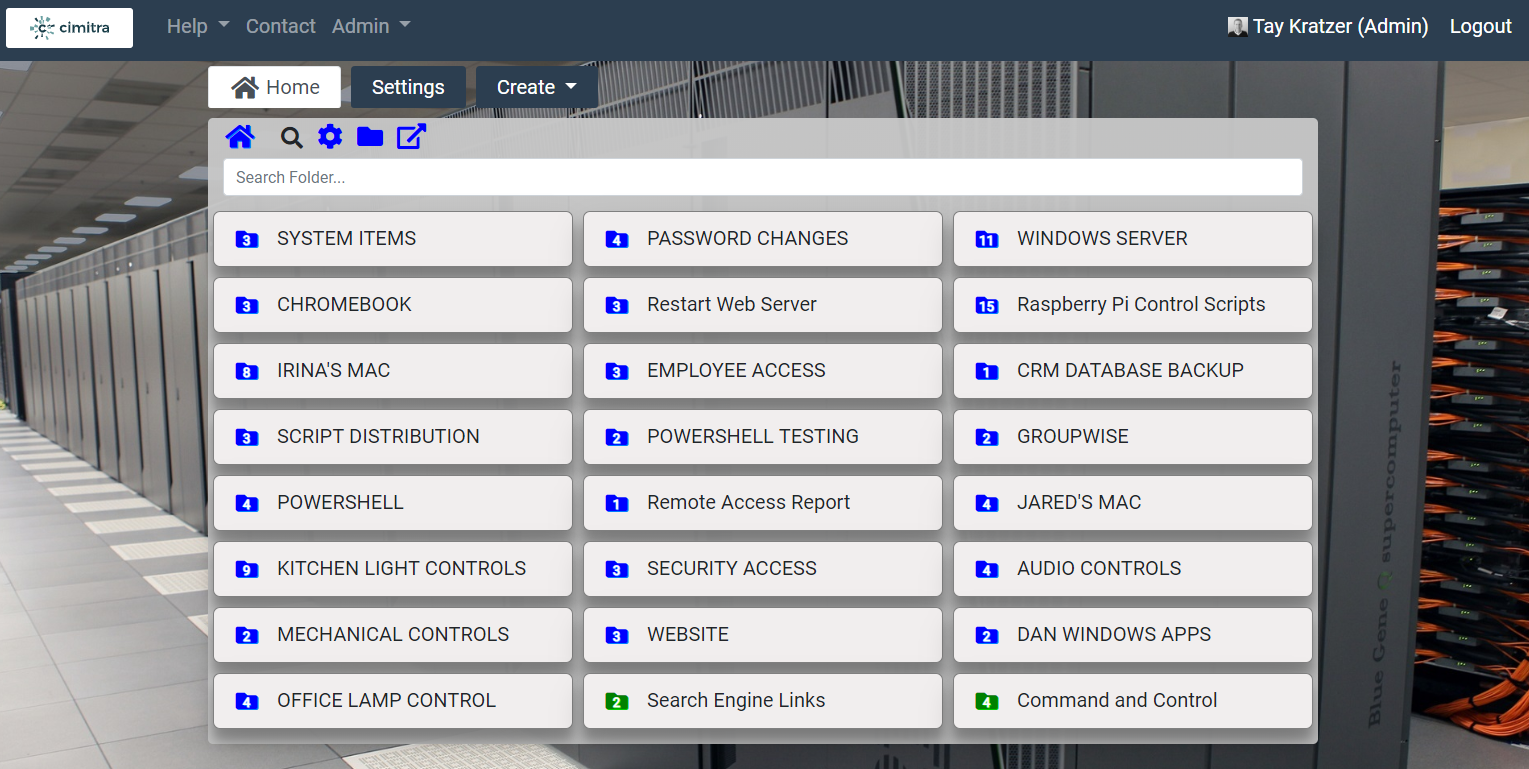
You control what each button in the Cimitra web interface does. Each user has their own set of buttons or folders that can be shared by admin users to other users who need the same set of functions.
For example, an admin can set up a common menu for tech support users who need access to similar functions. The whole point of having Cimitra is to give access to needed functions to users without giving them access they don’t need to servers or forcing them to log in to different boxes.
Cimitra Objects
Cimitra Objects are:
- Actions (buttons): Cimitra Apps are the primary purpose of the entire Cimitra System. Each button runs a command or a script that you have already made beforehand. When you click on a button, it causes that app or command to run, usually on a remote machine, so that Cimitra is like a master control panel for commands on one or more machines.
- Links: Cimitra Links are simply HTTP URL locations. They show up as buttons but they’re like the shortcut links one might have in a browser. Click the button and the link opens in a new tab.
- Folders: Folders serve two purposes. First, they are used to group buttons and second, they can be shared between Cimitra users, like a shared menu. Only a user with admin rights can share folders.
Cimitra System Components
A Cimitra System has 2 components…
- Cimitra Server
- Cimitra Agents
Once you deployed at least one Cimitra Agent, you should start to create “Apps” within the Cimitra Client. If you put an App into a Folder in the Cimitra Client, you can then share that Folder with other users in the Cimitra System that you would like to have access to that App.
The first step to establishing a Cimitra System is to create a Cimitra Server. The Cimitra Server is software contained within a Docker Container. Docker is made by another company. For more information visit their website www.docker.com
The installation of a Cimitra Server involves:
- Installing Docker (if you do not already have it)
- Installing the Cimitra Server to your Docker installation
The Cimitra Server documentation will walk you through the process of getting Docker and installing the Cimitra Server to it.
Once the Cimtra Server is created, you log into the Cimitra Server web interface. The Cimitra Server automatically creates a user called [email protected] with a password of: changeme
Once you log into the Cimitra Server you should
- Change the password for the Admin account, you can also change the email address for the Admin account.
- Make a new user that you will use as an Admin level account. And then log in as that new user.
- Once you have logged in as the new user, start to deploy a Cimitra Agent to each box that contains scripts, programs and APIs that you want to have push-button access to which you can also share with other users in the Cimitra System.